 DACP
Connect to your first DACP service
Use this walkthrough when a node or Union is already running. You need its DACP address; ask its administrator for a reader or runner token and trusted CA to read data. To start your own service, use node deployment.
1. Install the Shell
Install the Python client from an extracted client download or this source checkout. Python 3.10+ is required. From a source checkout:
python3 -m venv .venv
.venv/bin/pip install ./dacp-client
Use .venv/bin/dacp-shell below, or dacp-shell after activating the environment.
2. Discover public metadata
Replace the example address with your service. Anonymous browsing needs no token. This example assumes a platform-trusted server certificate; for a private CA, also pass --ca /path/to/ca.crt:
.venv/bin/dacp-shell dacp://data.example.org:18861
datasets
use 1
ls /
help cat
datasets lists numbered Dataset names and JSON descriptions. use 1 selects the first entry; a complete directory with one Dataset is selected automatically. ls / lists Items and their advertised views. Row numbers refer to the latest listing. Anonymous browsing verifies the server certificate and hostname; see connection security.
3. Read an Item
Reconnect with the credentials provided by the administrator:
.venv/bin/dacp-shell dacp://data.example.org:18861 \
  --ca /path/to/ca.crt --token-file /path/to/reader.token
datasets
use 1
ls /
cat 1
Select a readable Item from ls; folders must be expanded first with ls /folder. cat 1 previews the first listed Item using its default view; cat 1 records, cat 1 text and cat 1 array request a particular supported view. Catalog contents and paths depend on the publisher. Previews are bounded; use the SDK examples to consume a full stream.
flowchart LR
  Connect["Connect to a node or Union"] --> List["datasets"] --> Select["use NAME or row number"] --> Items["ls PATH"]
  Items --> Metadata["Inspect views and metadata"]
  Items --> Read["cat readable Item"] --> Stream["Bounded stream preview"]
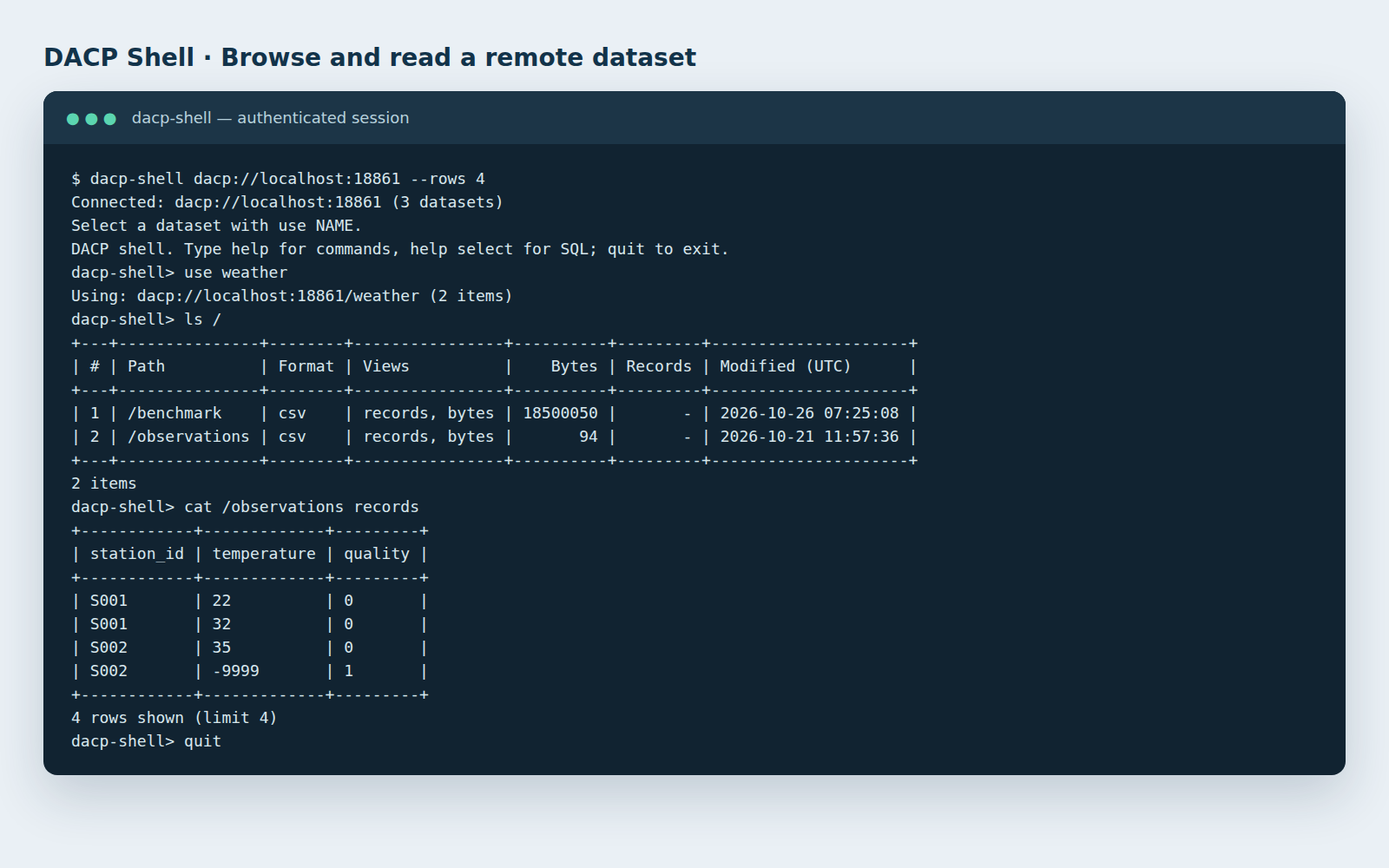
An actual Shell session, presented in a terminal-style capture. Names and paths vary by deployment.
4. Submit a Job
A runner account can submit an existing Job using the same node or Union connection:
submit job.yaml --vars variables.yaml --policy policy.yaml
Omit --vars or --policy when unnecessary. Job, variable and policy file paths are local to the Shell process. Input Item references resolve on the receiving service. Consume the result as it arrives; Ctrl+C cancels the running operation. See remote submission examples and execution policies.
Next steps
| Goal | Guide |
|---|---|
| Write Python or Scala integration code | Shell and SDK guide |
| Query records or read with an S3 client | Record queries, S3 access |
| Publish your own files or SQL tables | Deployment, SQL example |
| Combine independent data nodes | Union guide, complete collaboration example |
| Inspect results and execution plans | Dashboard guide |