

Turn your data into a service
Publish files, database tables and scientific structures as Datasets and Items. Offer a browsable catalog and explicit data views so clients can discover and read what they need.
Explore data access → DACP
DATA ACCESS & COLLABORATION PROTOCOL
Access data consistently, wherever it is hosted. Publish files, databases and scientific data through a consistent service. Browse, query and run streaming Jobs on a single node. Connect independent nodes when your analysis spans data centers.
ACCESS AND COLLABORATION
Access is the A in DACP; collaboration is the C. DACP aims to make geographic distribution transparent to applications: remote data is accessed through the same catalog, Item and streaming interfaces, much like local data. Each node provides a complete data service, including local Job execution. A Union builds on those same access and execution capabilities to coordinate work across independent nodes.
Publish files, database tables and scientific structures as Datasets and Items. Offer a browsable catalog and explicit data views so clients can discover and read what they need.
Explore data access →Submit a multi-step Job to one DACP server. Read local Items, connect processing operators as streams and receive results incrementally through the Shell or SDK.
Run a local Job →Submit a logical Job to Union. It resolves data locations, places work on member nodes and connects their output streams into one analysis.
Explore collaboration →DATA ACCESS
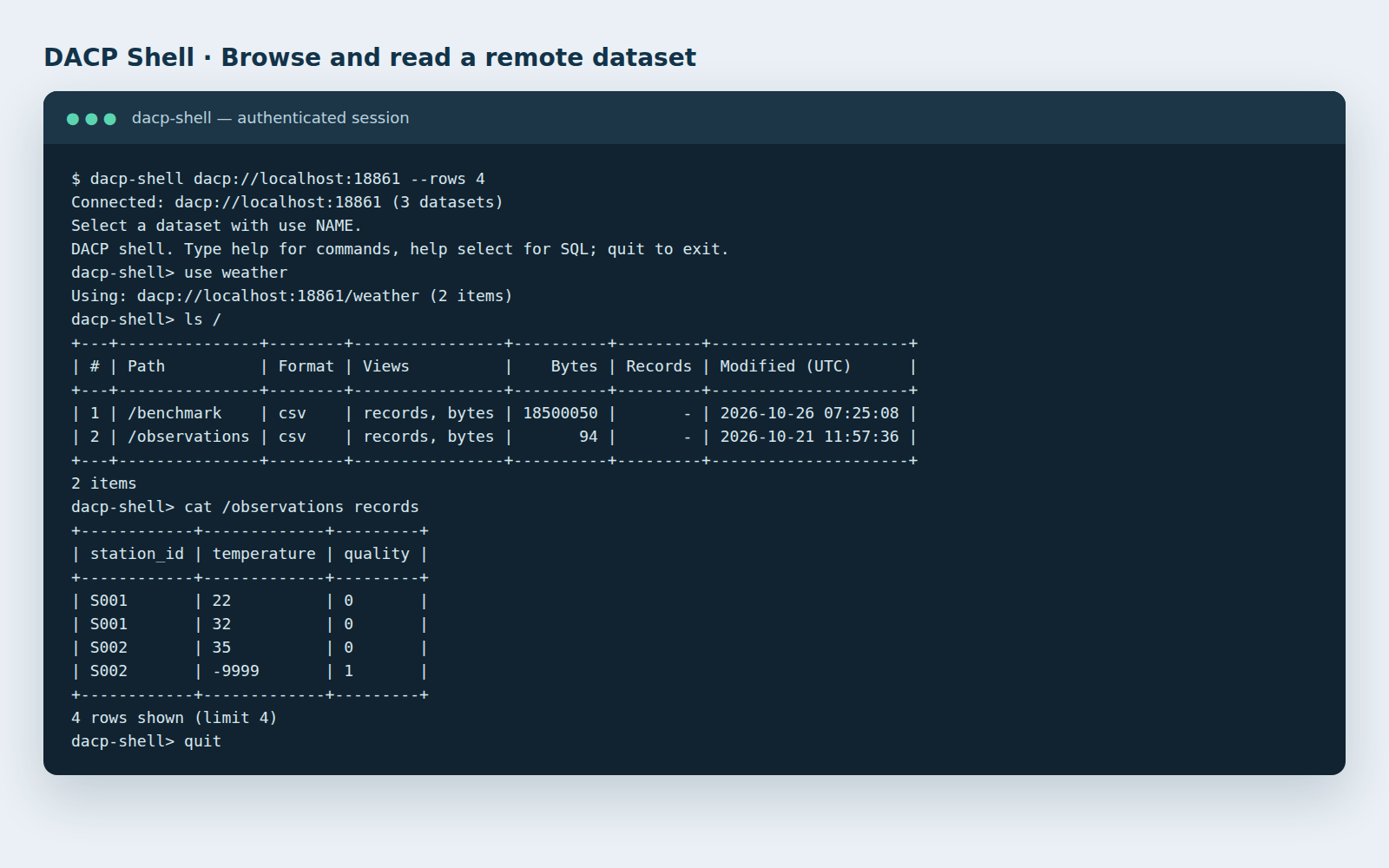
Make a research folder, a database or an existing application catalog available through DACP. Clients discover datasets, browse Items and choose an advertised view: records, bytes or a scientific representation that preserves the data’s structure.
Use configuration for a fixed collection or supply a dynamic DataCatalog backed by your application. Extend backends and formats through plugins.
Dynamic catalogs →Use dacp-shell, Python or Scala to list datasets and Items, inspect views, read streams and apply supported record projections and filters.
Shell and SDK guide →Expose Item byte views through the independently authenticated, read-only S3 service. Embed a DACP server in your JVM application when publication belongs inside your own service.
S3 access → · Embed a server →LOCAL JOB EXECUTION
Parse a file, filter observations, convert formats or combine local inputs in a streaming Job. The embedded XStream engine runs the processing chain inside the node and returns the selected result stream to the caller. Ordinary intermediate streams connect steps directly; explicit execution policies can select boundaries for materialization and replay.
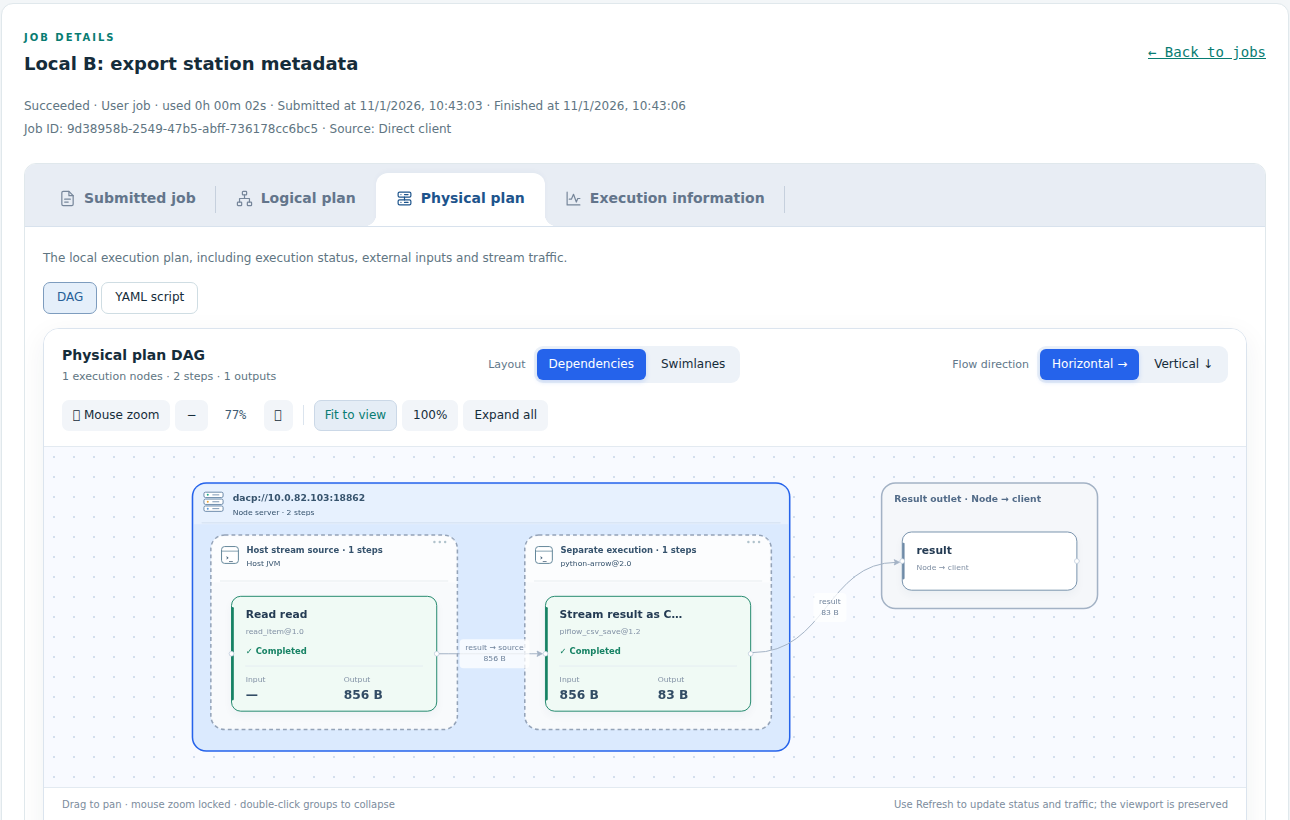
For example, a single node can read local weather observations, filter quality-controlled records and stream the result as CSV. The same Shell and SDKs provide Job submission, variables, cancellation and execution status.
CROSS-NODE COLLABORATION
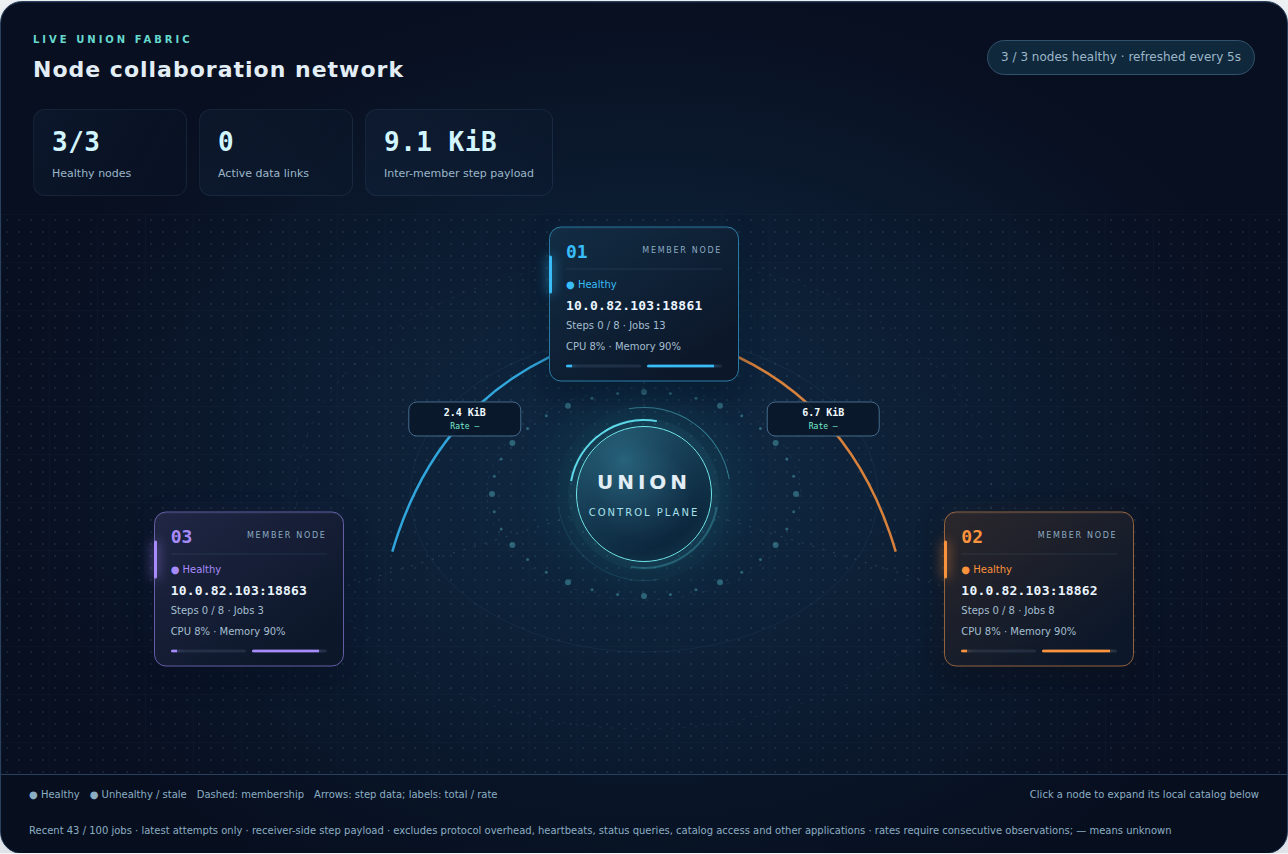
When data belongs to multiple independent nodes, Union provides a common catalog and coordinates their computation. Authors describe a logical stream graph; Union resolves dataset locations and creates the physical plan and node subjobs. Intermediate streams move directly between the executing nodes, and Union relays the final result to the client.
Combine regional observations, compare data held by different institutions or bring analysis close to large remote datasets. Each member continues to publish data and execute local Jobs through its own service.
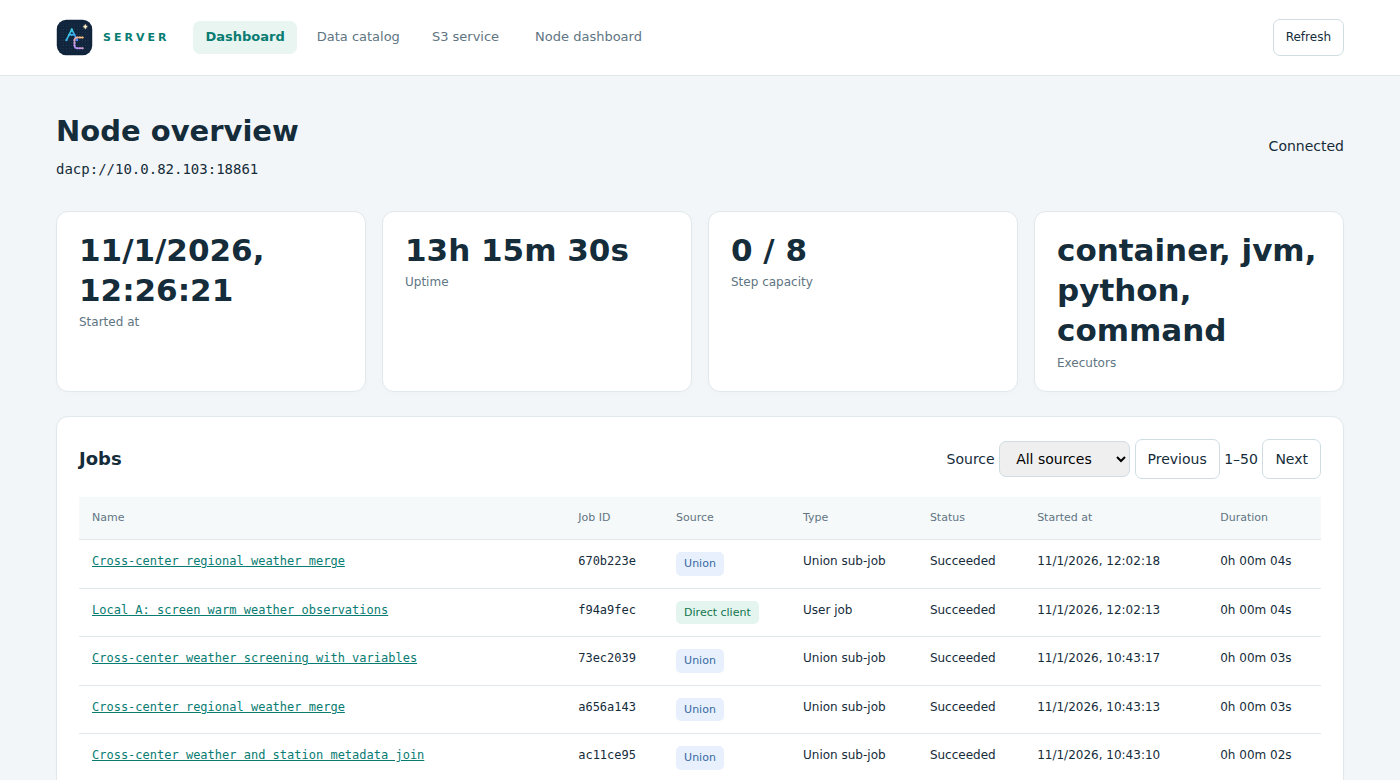
Understand Union workflows → · Two-node example →Node dashboards expose the data catalog, health and local Job history. Job details show scripts, DAGs, execution policies and attempts. Union adds placement decisions, dispatched subjobs and cross-node payload traffic to the same view of execution.
Node dashboards → · Execution history →POWERED BY APACHE ARROW FLIGHT & XSTREAM
Apache Arrow Flight provides DACP’s data transport foundation. DACP embeds XStream for typed data views, stream-connected operators, cancellation and execution policies. DACP combines that local execution capability with authenticated data publication, access and Union coordination. The same engine also runs standalone through XStream Runner.
Explore XStream →Connect, discover data, run local Jobs and consume result streams. Use the same logical Job model for a Union.
User guide →Publish datasets, configure authentication, operate a node and add Union coordination when needed.
Operations guide →Integrate Python or Scala clients, embed services and work with remote-access and collaboration APIs.
Development guide →PERFORMANCE
Two reproducible workloads run data services on a public server and consume results from a separate client. Reports include all repeats, result checks, figures and measurement boundaries.
For an 89.27 MiB CSV with about 0.1% matching rows, median completion is 2.06 s with DACP/TLS, 6.80 s with FTPS and 6.83 s with FTP. FTP methods parse and filter while downloading, without writing the source to disk.
At 100% selectivity, DACP takes 7.34 s versus 6.80 s with FTPS. Server-side filtering helps this workload most when few records match.
Read the CSV filtering report →With 1.018 GB of source data, median completion is 16.46 s through CONET/Union versus 99.22 s for FTP download-first local XStream: a 6.03× time ratio in this deployment.
The same Job and operators produce numerically equivalent results. All three source nodes share the remote server; hardware and physical placement differ from the local baseline.
Read the collaborative-analysis report →One warmup and three measured repeats per combination. These are workload measurements on this public link, not universal protocol speedups. Both reports disclose hardware differences and shared-server load.
DACP IN ACTION
Actual captures of Shell access, data-node operation, a local Job and Union coordination. Click an image to open the full-size capture.
READ-ONLY DEMO
When the demonstration is available, open the data-node and Union dashboards to inspect catalogs, plans, history and traffic.
View demo availability →